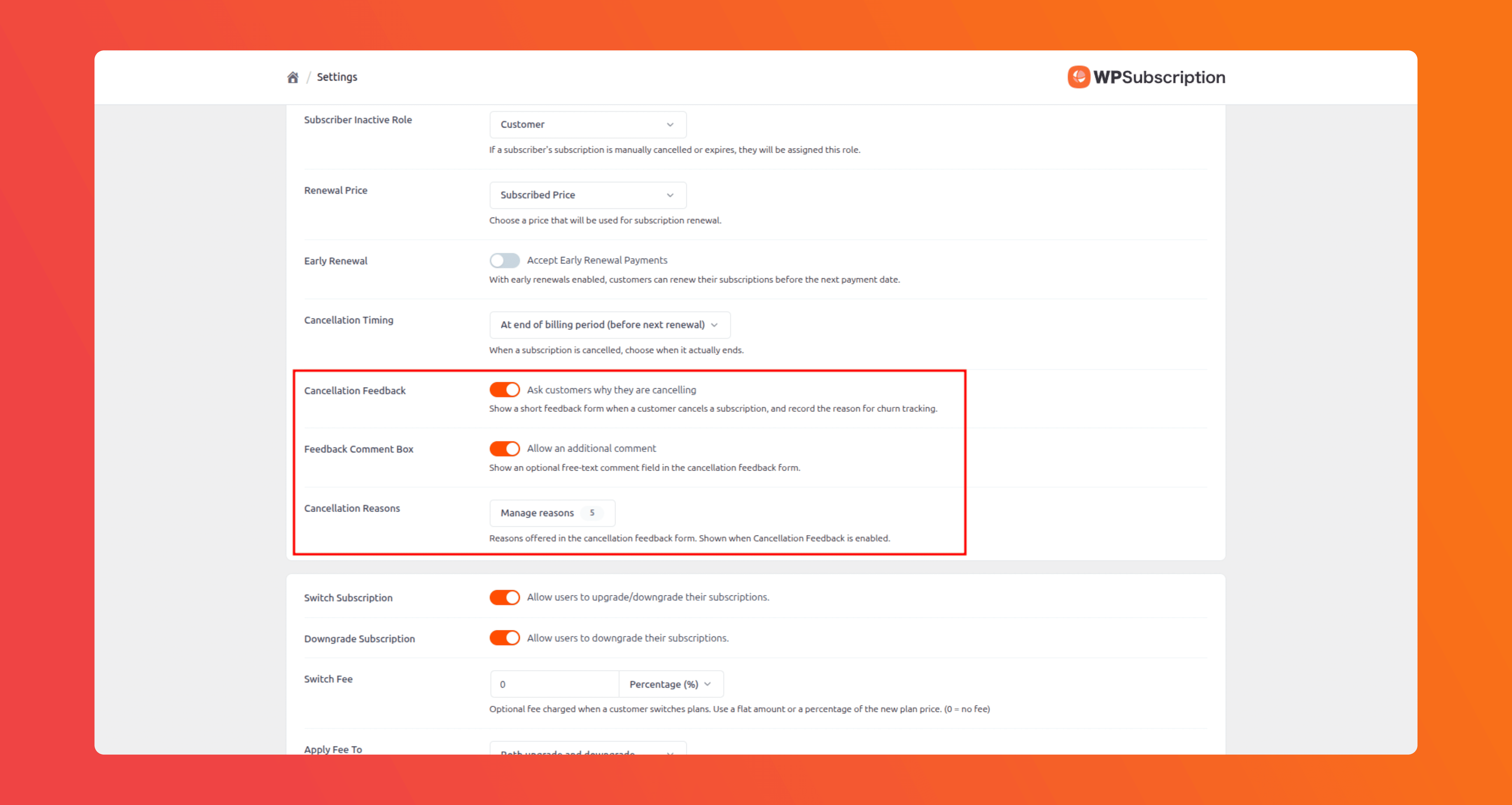
The Subscription Cancellation Feedback Feature is designed to gather insights from users who choose to cancel their subscriptions. This feedback will help improve the service and address any issues that may have led to the cancellation.
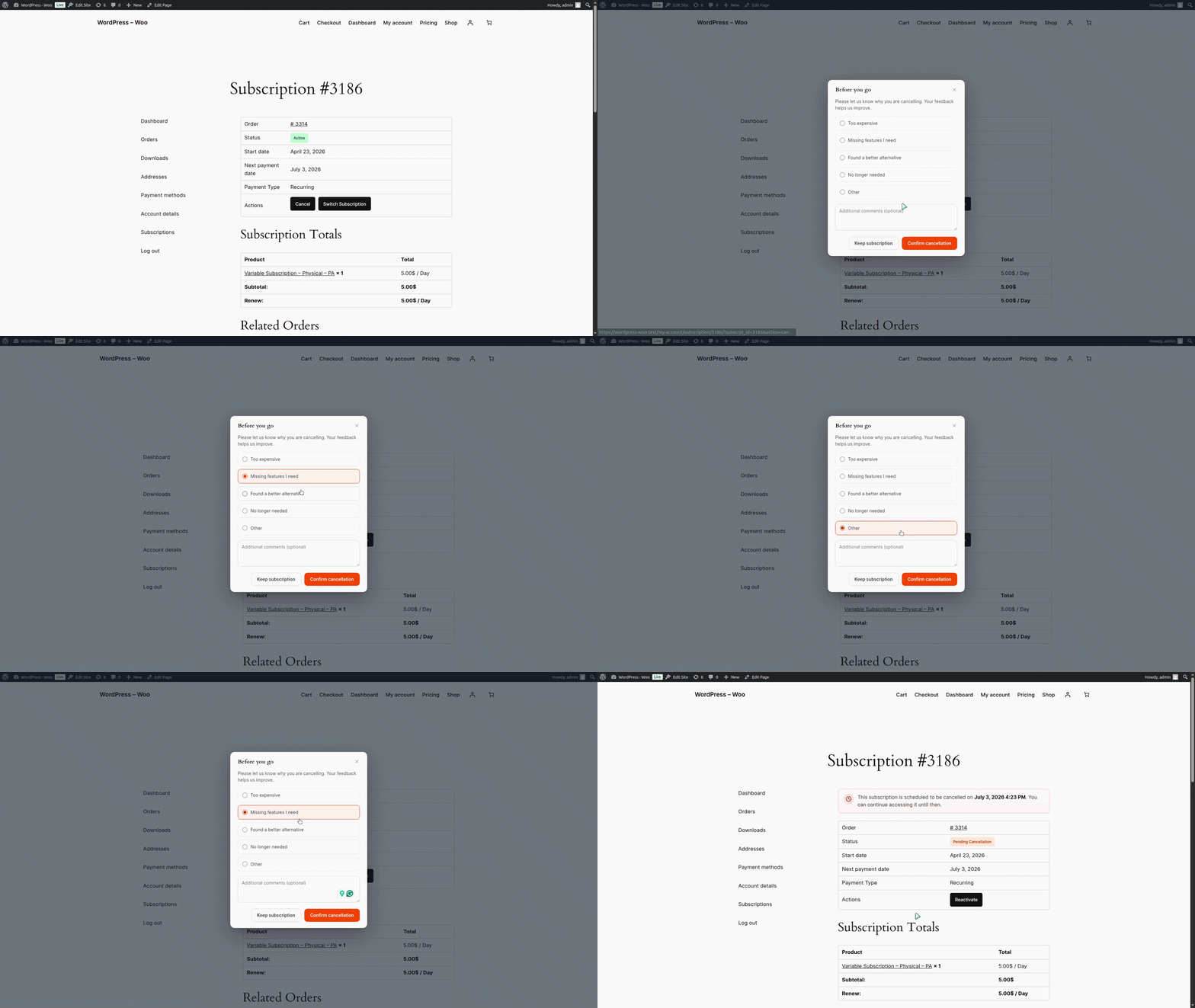
When a user tries to cancel a subscription, they will be presented with a feedback form to select the reason for cancellation.
Viewing the Cancellation Reason
Each subscription cancellation is recorded with the subscription. So, when a user submits a cancellation reason, the admin will be able to view it on the subscription details page in the WordPress admin.
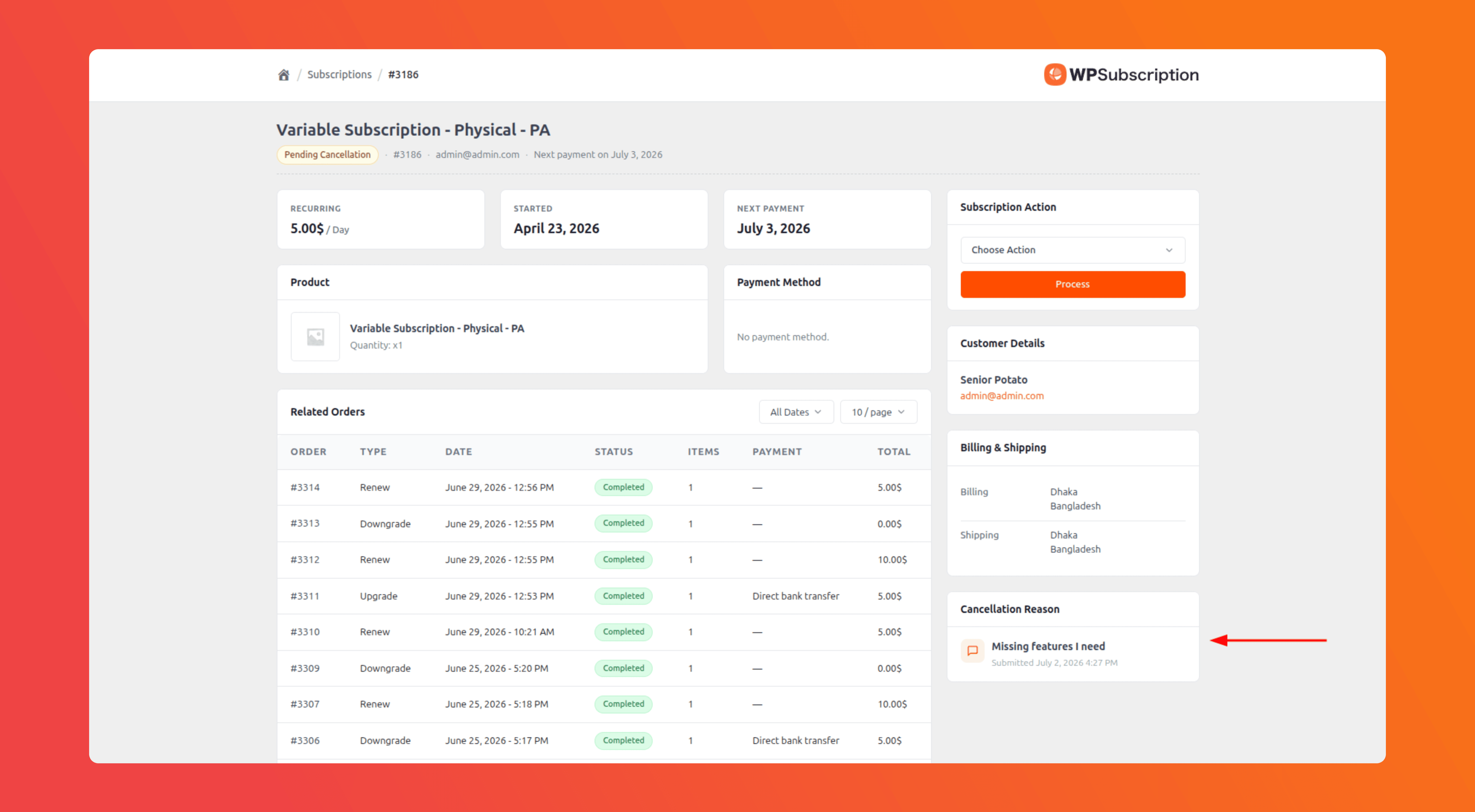
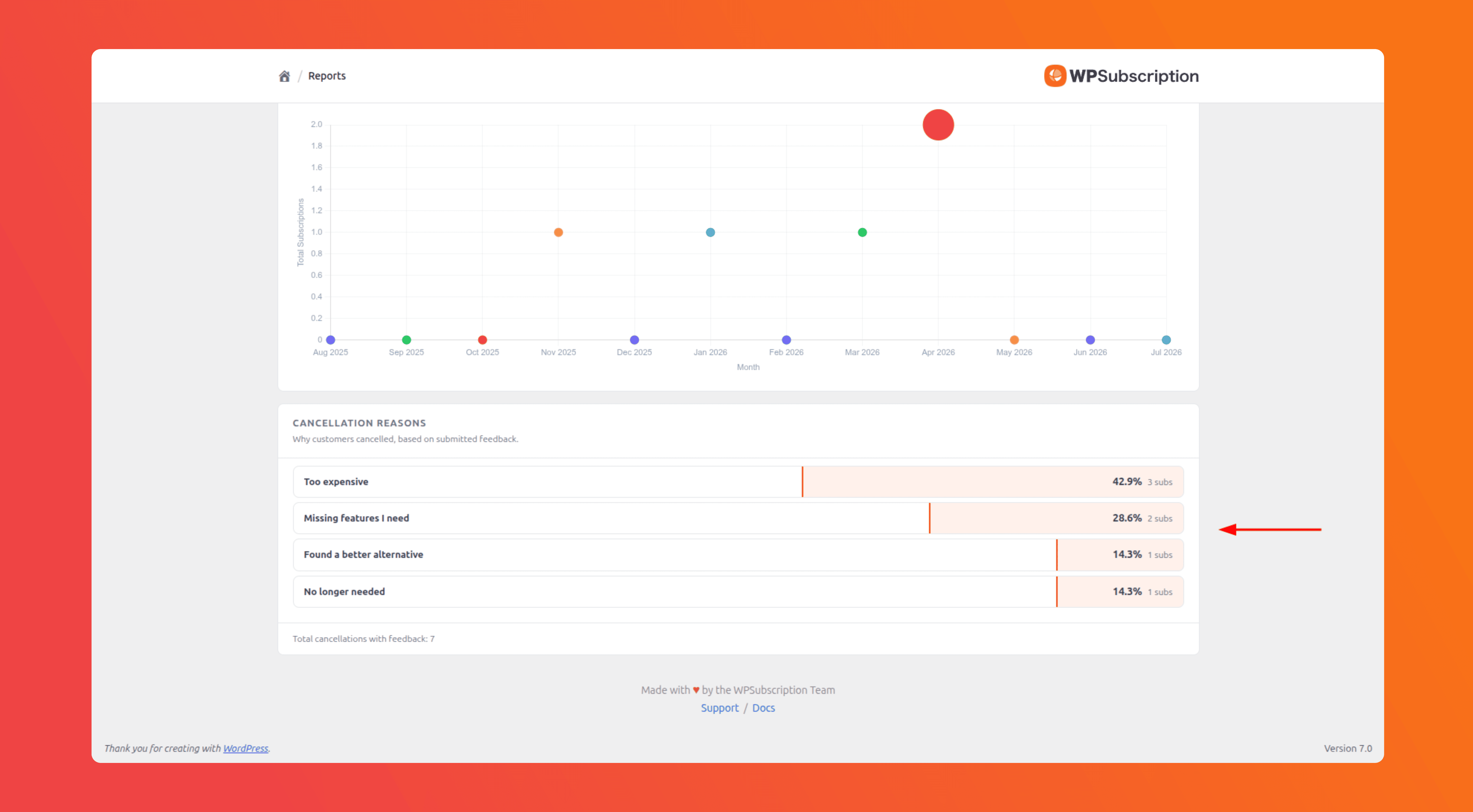
The cancellation reasons are shown aggregated on the reports page too. An admin can see the reports on why the customers are cancelling their subscriptions and the count of all cancelled subscriptions for each reason.
Customizing the Reasons
An admin can choose to show the cancellation reason screen to the user from the WPSubscription settings. This setting is turned on by default.
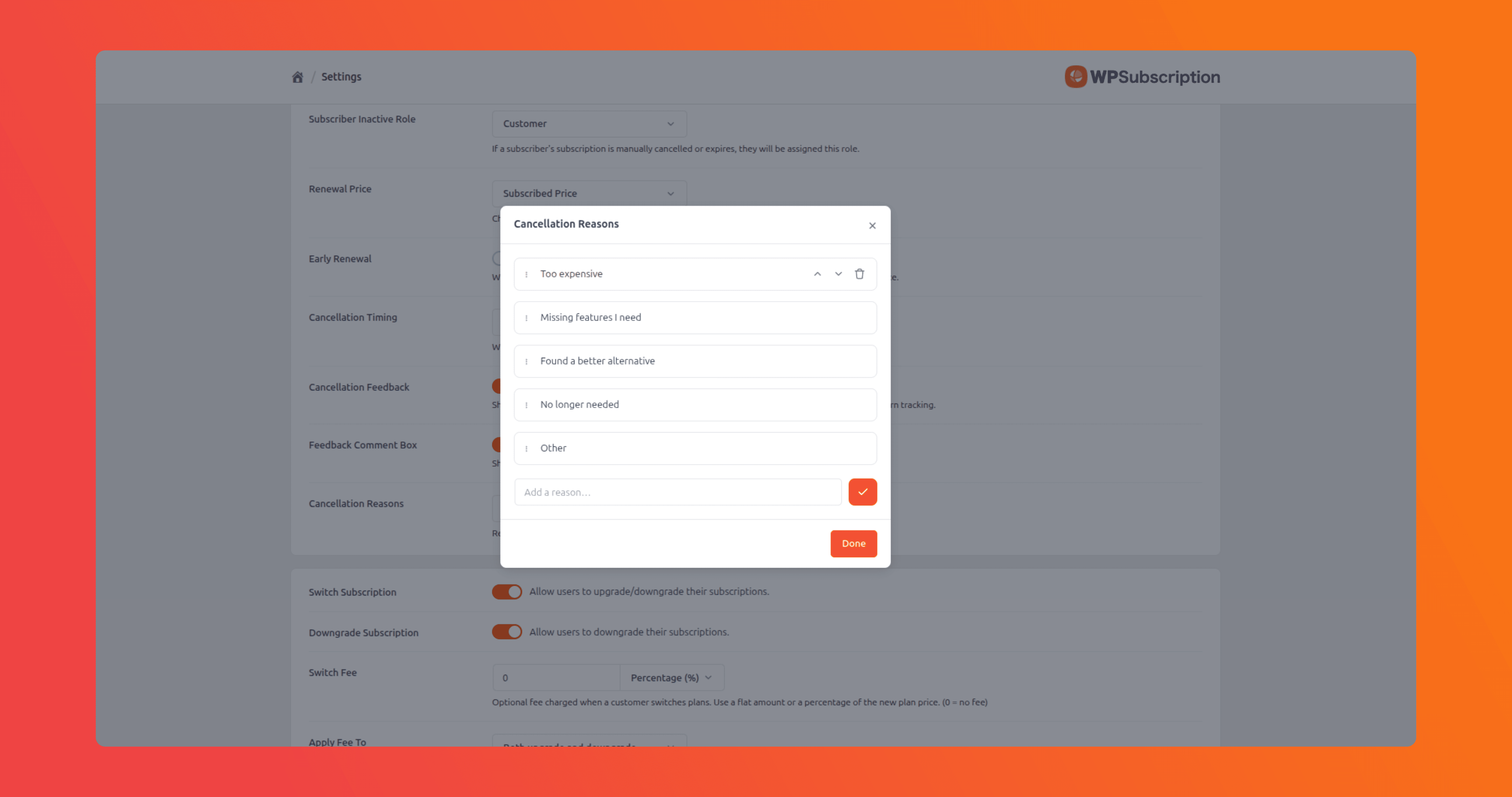
The admin can also add or delete reasons by clicking on the "Manage reasons" button.