
WPSubscription includes MailPoet automation triggers. Now you will be able to manage subscription-related newsletters or email marketing with MailPoet automation. Please follow the given instructions to learn more.
Requirements
MailPoet
MailPoet Premium
WooCommerce
WPSubscription
WPSubscription Pro
Add Subscription Triggers
Open the WordPress dashboard.
Go to MailPoet > Automations.
Click the "Add new automation" button.
Click the "Create custom automation" in the template page.
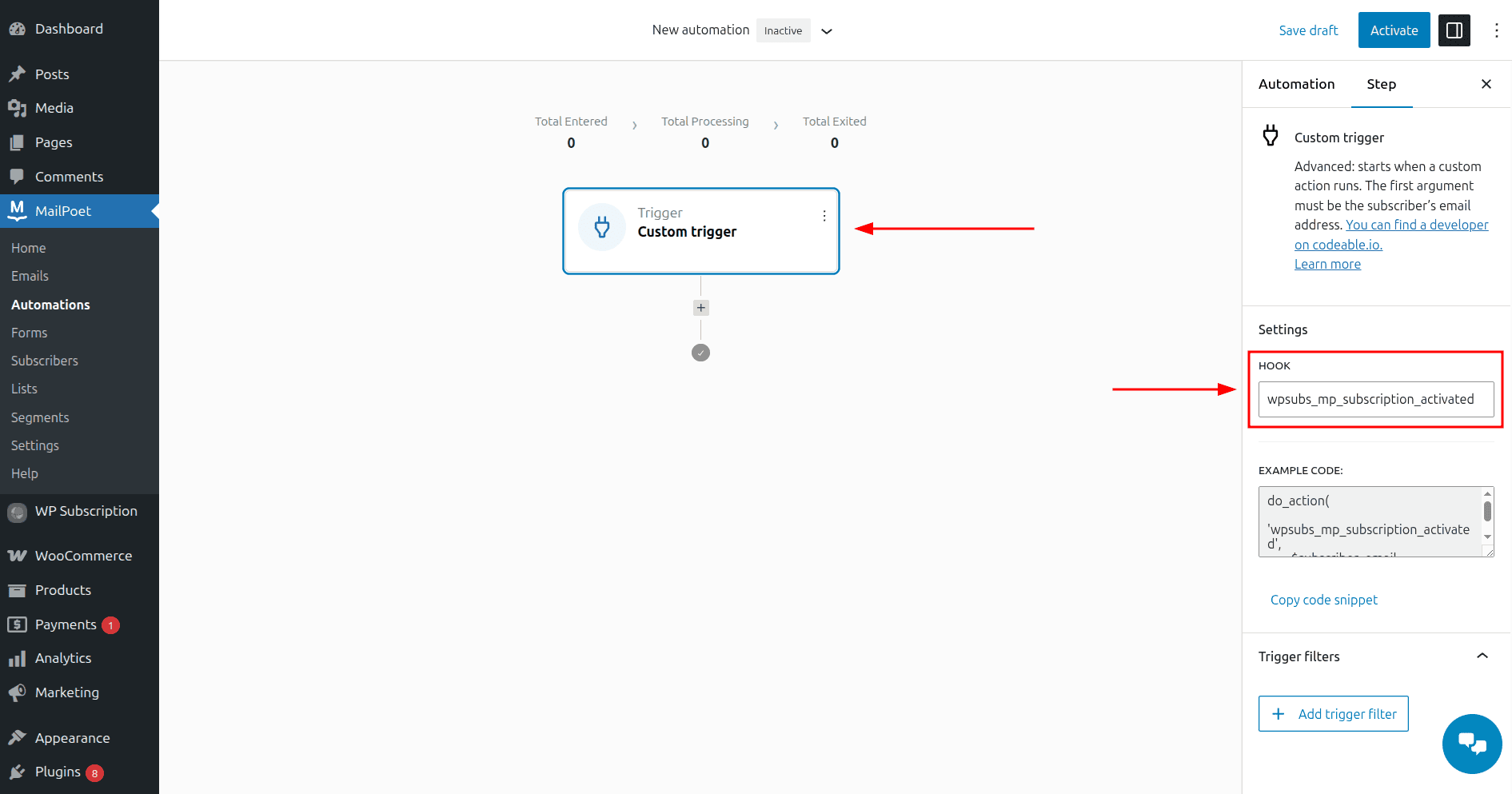
Click the "+ Add trigger" and select "Custom trigger".
In the custom trigger's HOOK field in the settings, add a custom subscription hook from the following available hooks table.
(For example, 'wpsubs_mp_subscription_activated' hook for Subscription activated trigger.)Then, proceed with adding other automation triggers and actions.
Available Hooks
Custom Subscription Hook | Description |
wpsubs_mp_subscription_activated | For triggering automation when a subscription is activated. |
wpsubs_mp_subscription_pending | For triggering automation when a subscription is pending. |
wpsubs_mp_subscription_pending_cancellation | For triggering automation when a subscription is queued for cancellation. |
wpsubs_mp_subscription_cancelled | For triggering automation when a subscription is cancelled. |
wpsubs_mp_subscription_expired | For triggering automation when a subscription expires. |
wpsubs_mp_subscription_trial_ended | For triggering automation when a subscription trial is ended. |
wpsubs_mp_subscription_in_grace_period | For triggering automation when a subscription is in a grace period. |