The Mollie Payments for WooCommerce allows you to securely accept credit card payments, iDEAL, and more directly on your store.
To process subscription payments with Mollie, you will need to install the Mollie Payments for WooCommerce plugin. Follow the steps below to install and configure Mollie for your WooCommerce site.
Install Mollie
Log in to your WordPress admin.
Go to your WordPress admin dashboard.
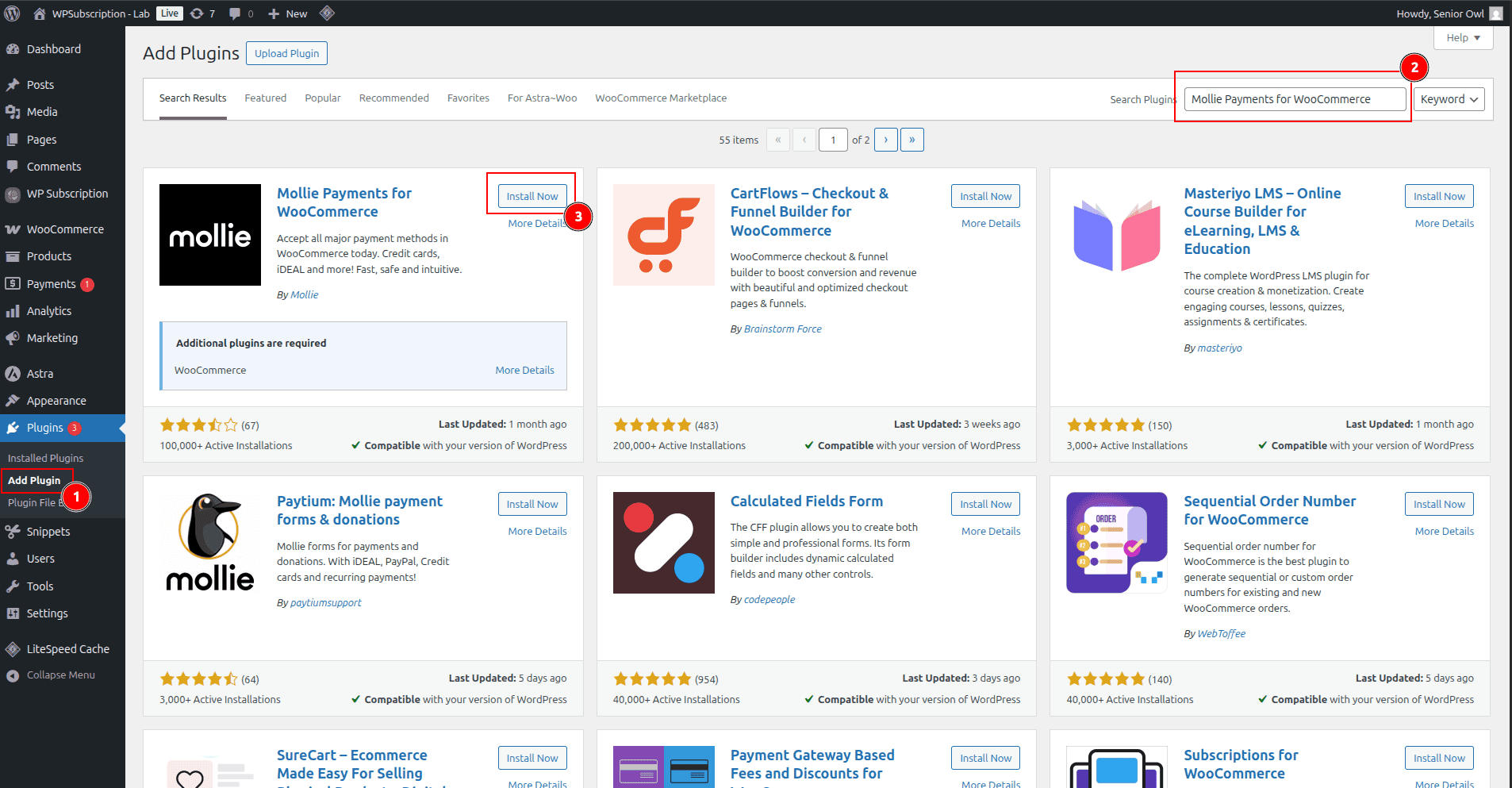
Navigate to Plugins > Add New.
In the search bar, type Mollie Payments for WooCommerce.
Look for the plugin by Mollie.
Click Install Now, then Activate once the installation is complete.
Connect Mollie to WooCommerce
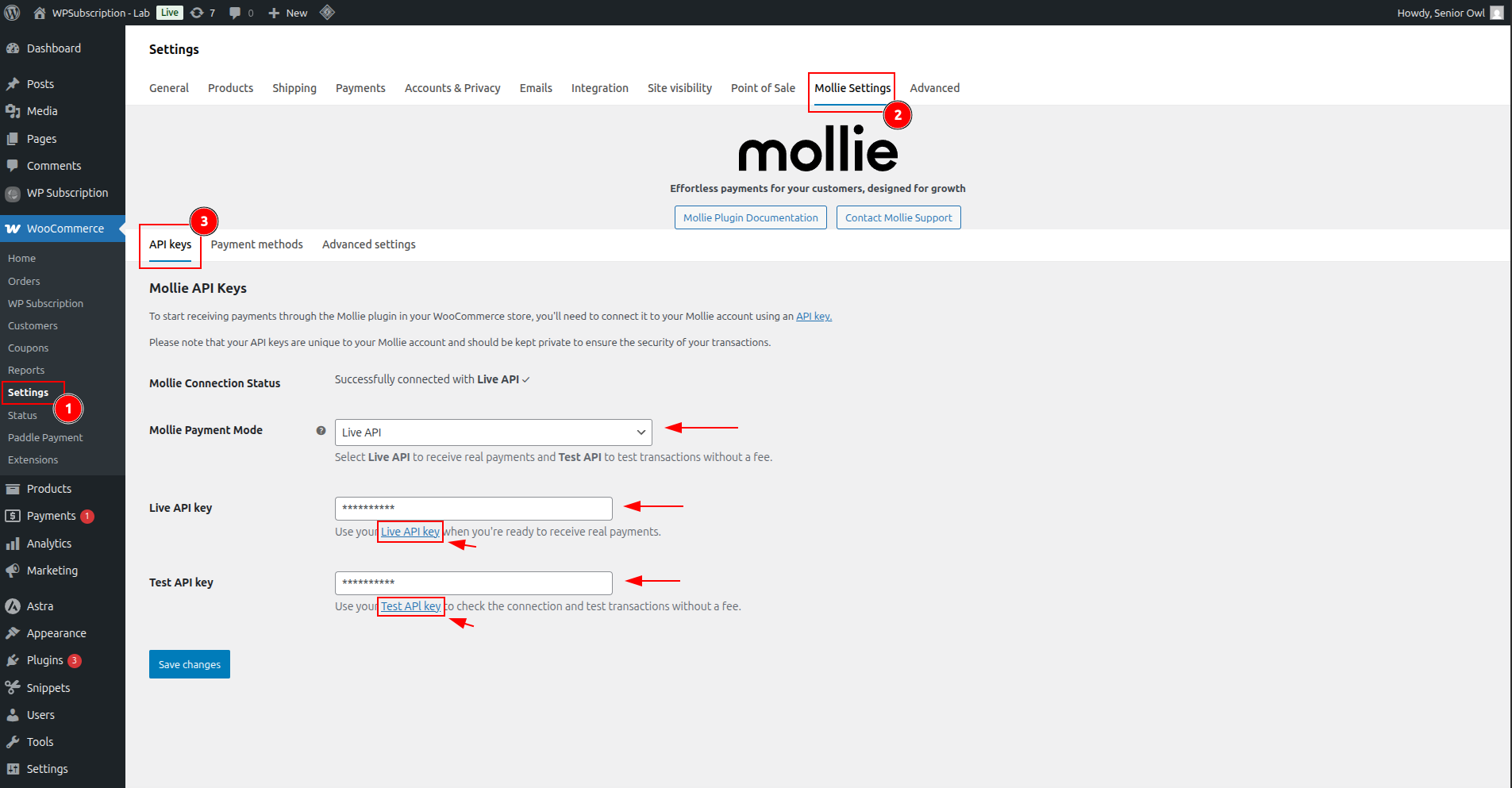
In the WordPress admin menu, go to WooCommerce > Settings > Mollie Settings.
Go to the API Keys tab in Mollie Settings.
Select Live API from the Mollie Payment Method.
Click the link in the description of Live API key. It will redirect to Mollie API key settings.
Copy the Live API key from the Mollie dashboard and paste it into the WooCommerce Mollie Settings > Live API key.
Do the same for the Test API key.
Click the Save changes button.