
Guest checkout allows customers to make purchases without the need to create an account, streamlining the shopping experience and enabling faster transactions. This feature is particularly beneficial for users who prefer a quick and hassle-free checkout process.
Setup
Subscription Settings
Log in to your WordPress dashboard
Go to WP Subscription > Settings
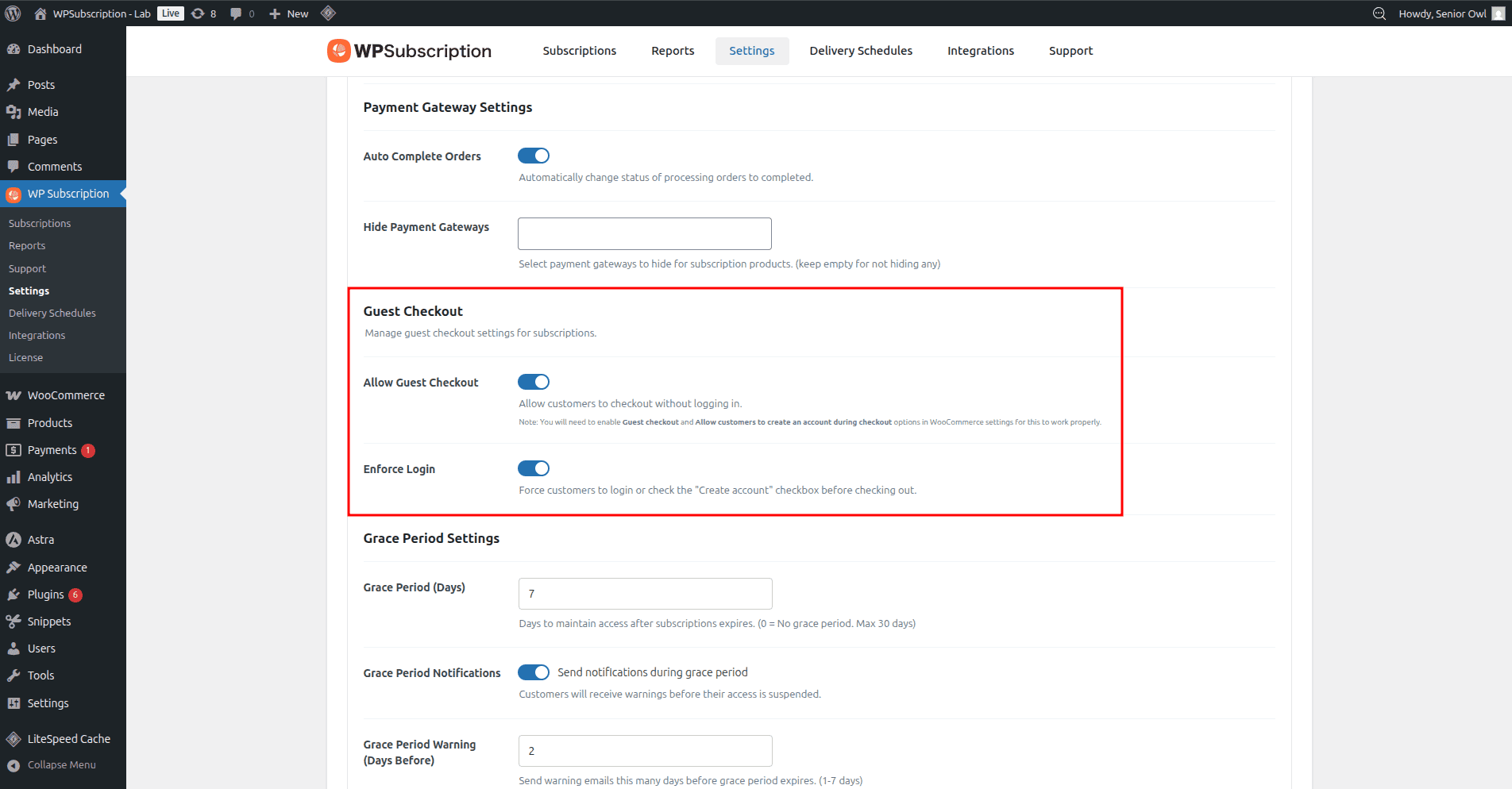
From the Guest Checkout section, turn on Allow Guest Checkout and Enforce Login.
WooCommerce Settings
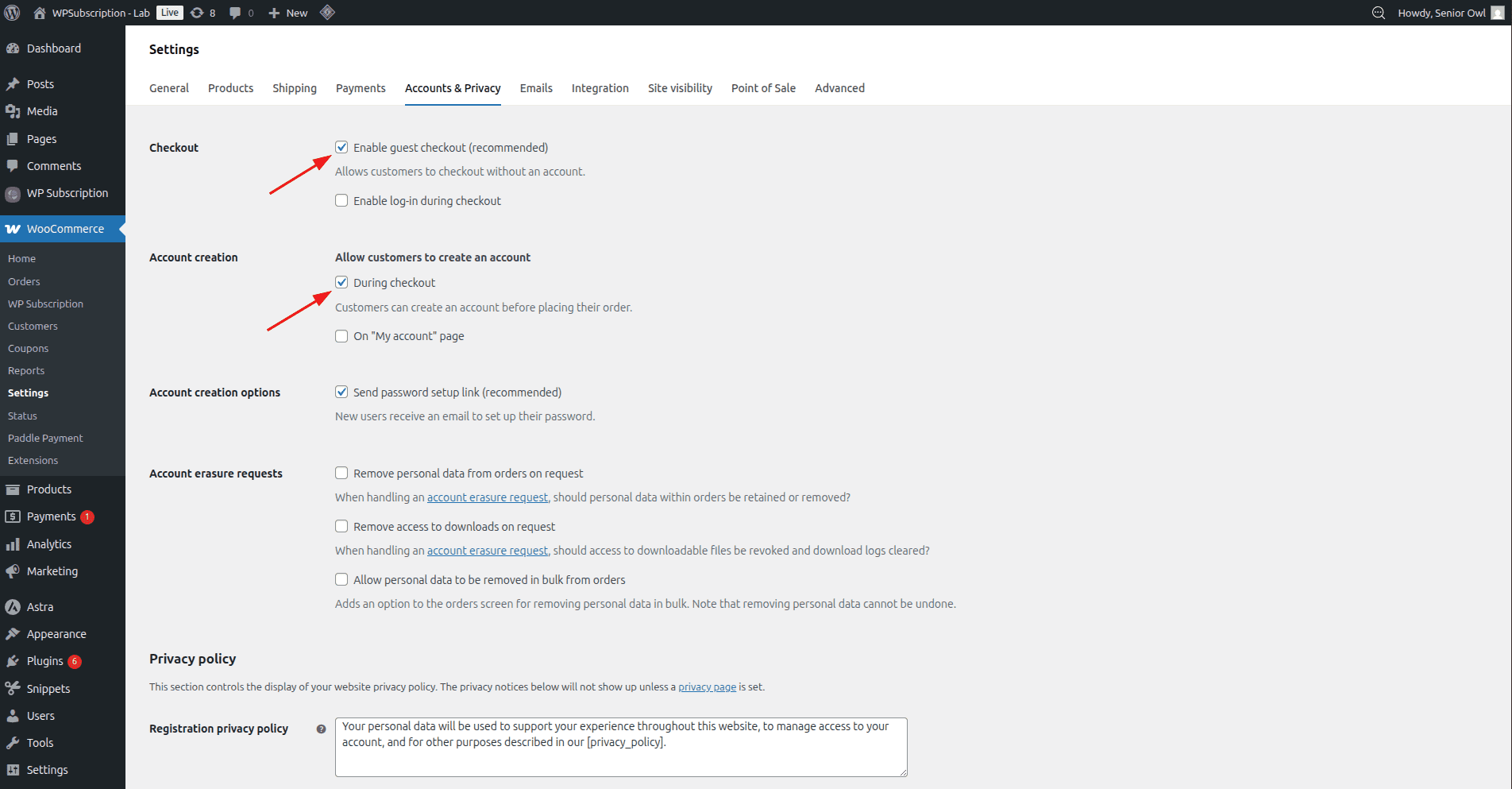
Go to WooCommerce > Settings > Accounts & Privacy
On the checkout section, check the "Enable guest checkout" option.
On the Account creation section, check the "During checkout" option.
That's all. Now your customers will be able to check out without an account. But they will need to check the "create an account" checkbox during checkout.