You can offer subscription-based pricing for LearnDash courses using WPSubscription. Please follow the given instructions to offer a subscription-based course in LearnDash LMS.
Requirements
LearnDash
WooCommerce for LearnDash (LearnDash add-on)
WooCommerce
WPSubscription
WPSubscription Pro
Create a Course
Firstly, you will need to create a course in LearnDash to use in a WooCommerce product.
Open WordPress Dashboard.
Go to LearnDash LMS > Courses.
Click the Add New Course button.
In the Course Page tab, provide basic course information, like Title, Description, etc.
Continue building the course (curriculum, etc).
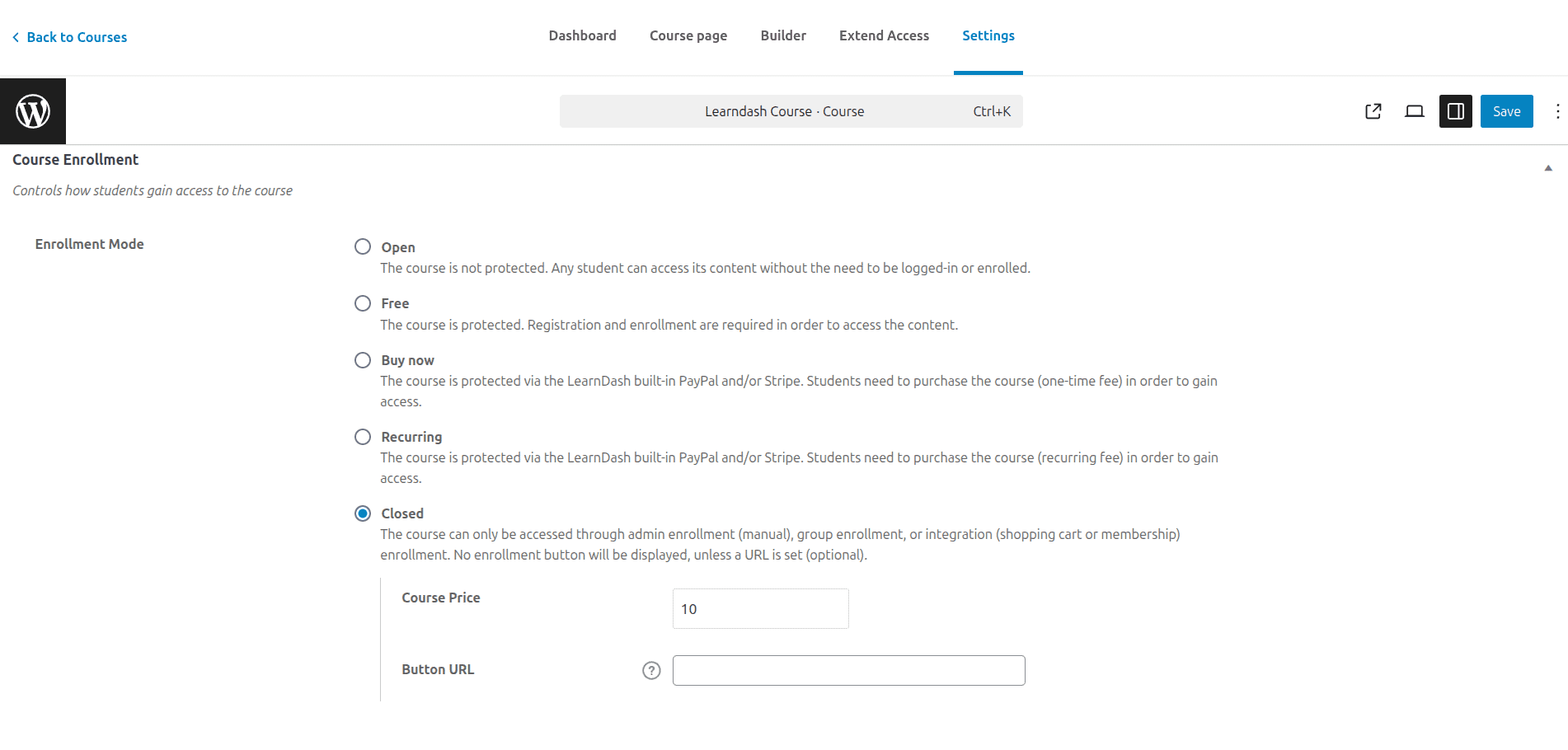
In the Settings tab, set the Enrollment Mode to Closed.
In the Course Price input, insert the desired price for the course.
Keep the Button URL blank for now. We will add the product URL here after product creation.
Finally, click the Publish button.
Create WooCommerce Product
Now you will need to create a WooCommerce product and connect the course to it.
Open WordPress Dashboard.
Go to Products > Add new product.
Provide basic product information, including product name, image, and price.
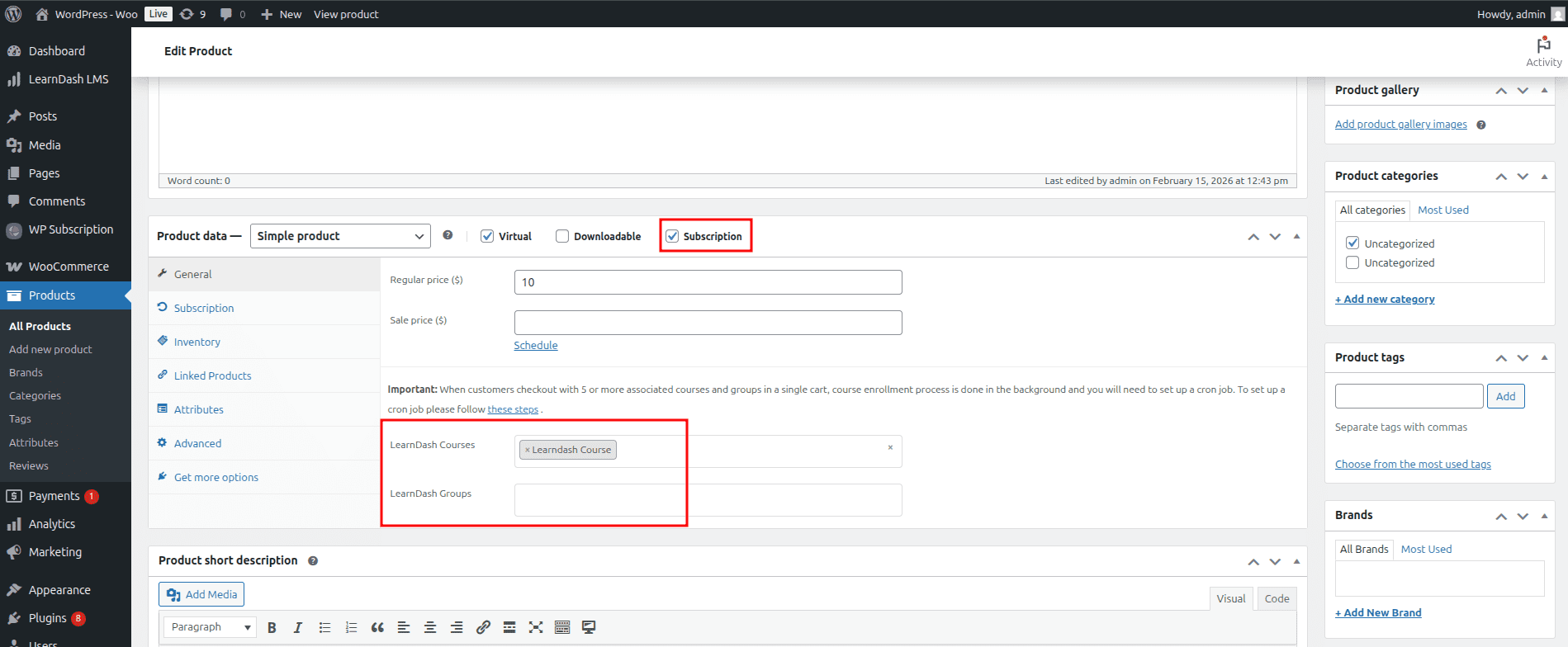
Select Product data as Simple Product.
Check the Subscription checkbox to enable subscription settings for this product.
Check the Virtual checkbox to mark this product as a virtual product (optional).
Go to the Subscription sub-menu.
Fill in the necessary subscription settings, including Payment Type, Repeat Payment Every, etc.
Go to the General sub-menu.
Select the recently created course in the LearnDash Courses selection.
Click the Publish button to publish the product.
Adding the Product Link
Now, we will need to add the permalink of the recently created WooCommerce Product to the course.
Open WordPress Dashboard.
Go to Products > All Products.
Open the recently created WooCommerce product.
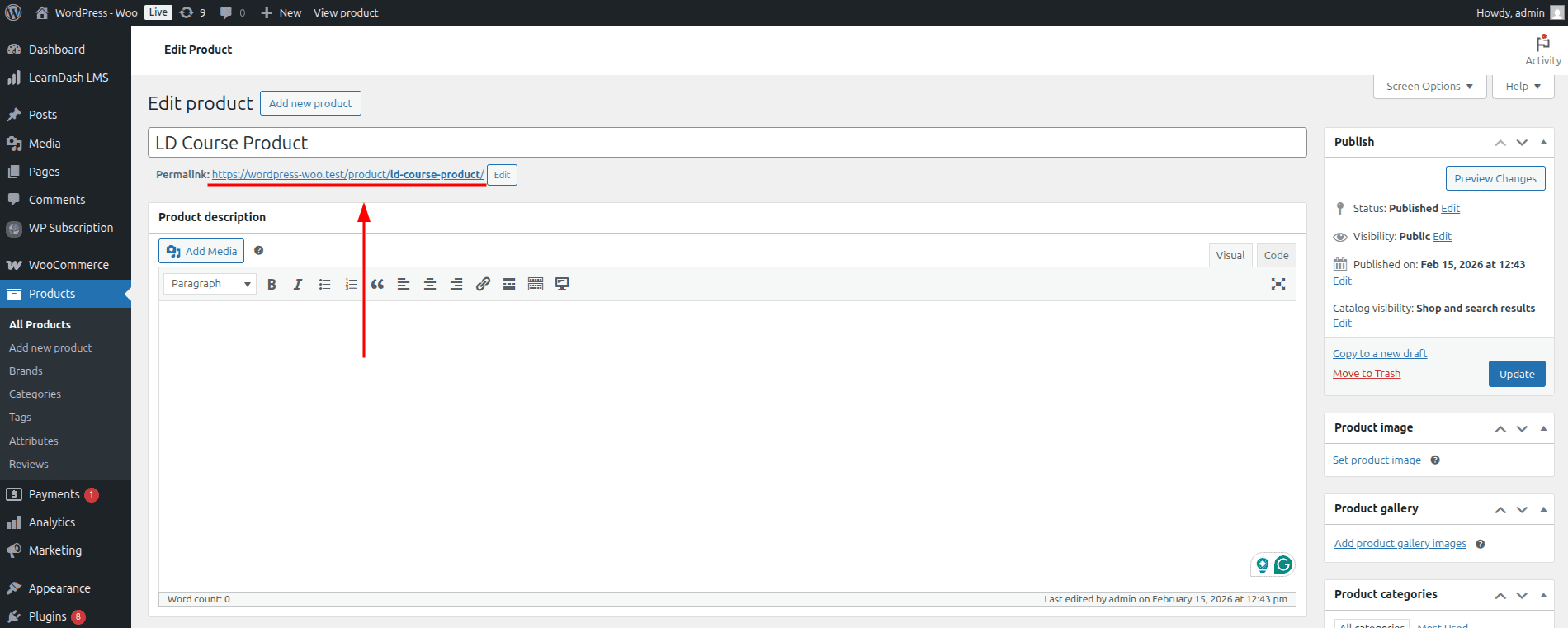
Copy the permalink of the product.
Now, go to LearnDash LMS > Courses.
Open the recently created course and go to the Settings tab.
Paste the copied permalink in the Button URL input in the Enrollment Mode section.
Click the save button to save the product.