
WPSubscription includes Fluent CRM automation triggers. Now you will be able to manage subscription-related tasks with Fluent CRM automation. Please follow the given instructions to learn more.
Requirements
Fluent CRM
Fluent CRM Pro (optional)
WooCommerce
WPSubscription
WPSubscription Pro
Installation
First, install WooCommerce and complete the onboarding process. Then install WPSubscription and WPSubscription Pro and set up following this guide. Finally, install and set up Fluent CRM following this guide.
Add Subscription Triggers
Open the WordPress dashboard.
Go to FluentCRM > Automations.
Click the "+ New Automation" button.
From the automation funnel pop-up, select Create from Scratch.
Select the WooCommerce category and click any of the required subscription triggers.
Then, proceed with adding other automation triggers and actions.
WPSubscription Triggers
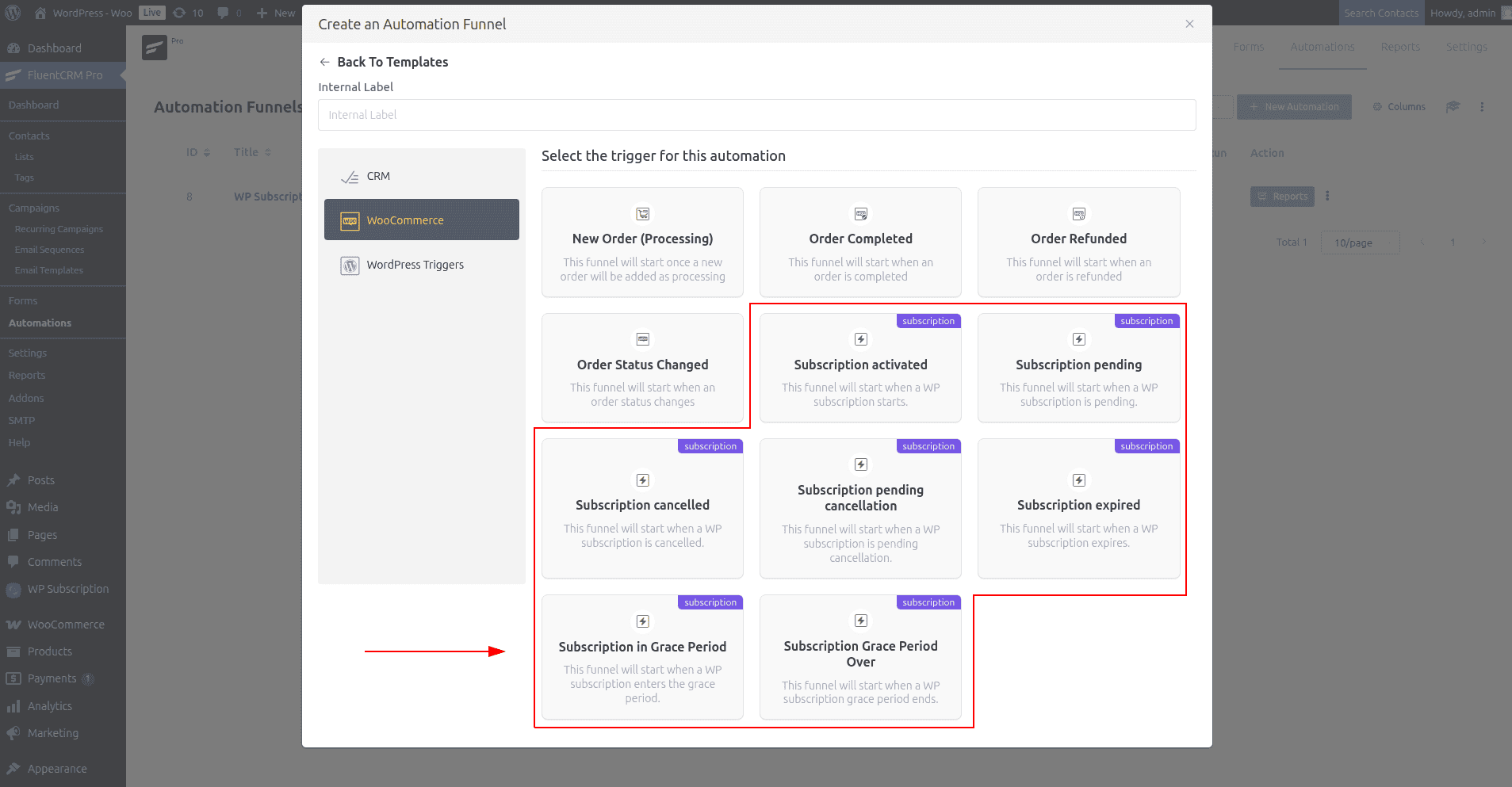
Subscription activated: This action is triggered when a subscription is started or its status is updated to active.
Subscription Pending: This action is triggered when a subscription payment is pending.
Subscription pending cancellation: This action is triggered when a subscription is pending cancellation.
Subscription cancelled: This action is triggered when a user cancels the subscription.
Subscription expired: This action is triggered when a subscription payment is due and the renewal time is over.
Subscription in Grace Period: This action is triggered when a subscription expires, but it is still active due to the grace period.
Subscription Grace Period Over: This action is triggered when a subscription expires, and the grace period is also over.