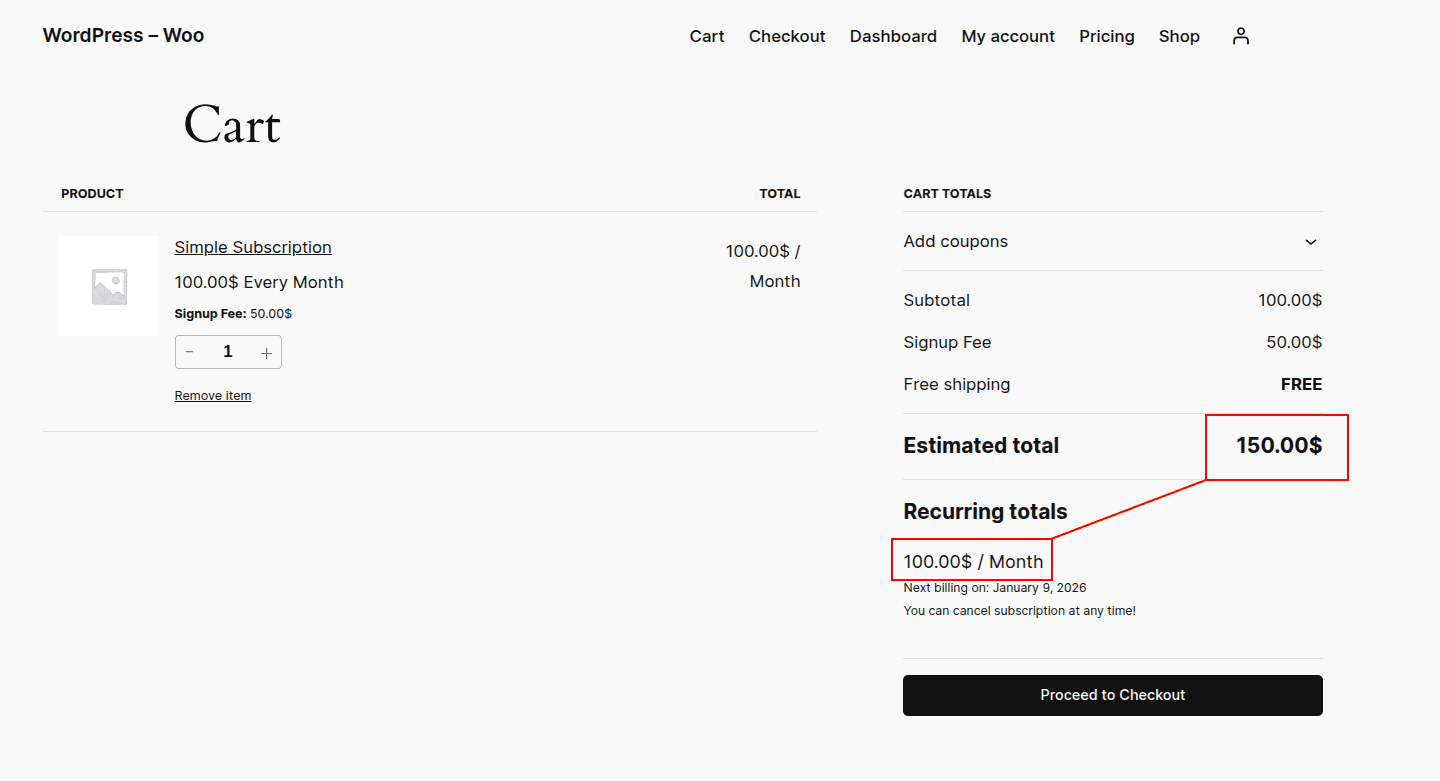
If you want a subscription to be initially bought at one price and later renewed at a different price, you can follow this guide to set this up. You cannot explicitly set 2 prices for a subscription for now. But you can leverage the signup fee for this purpose.
Here is how you can do this,
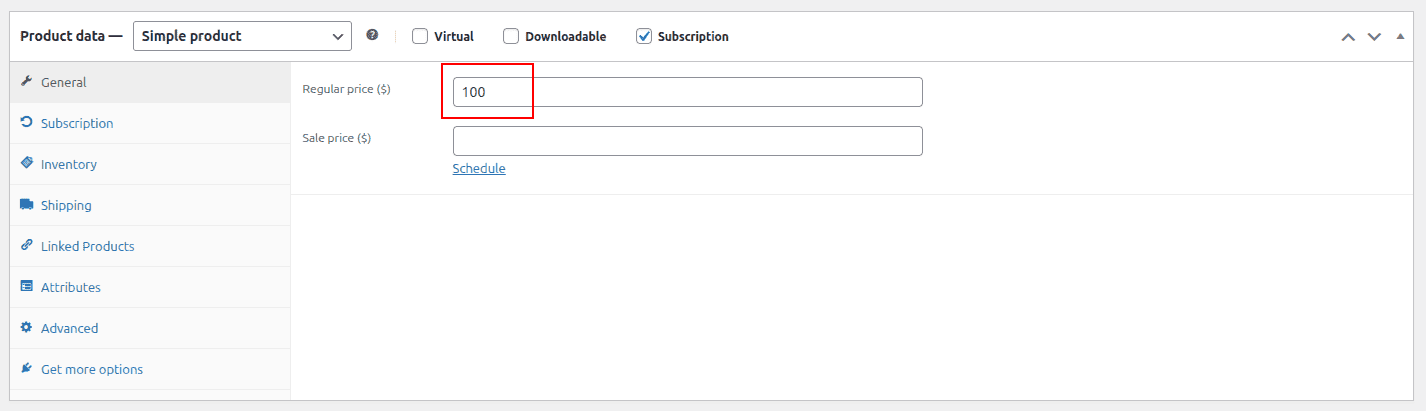
In the regular price of a product, put the desired recurring amount.
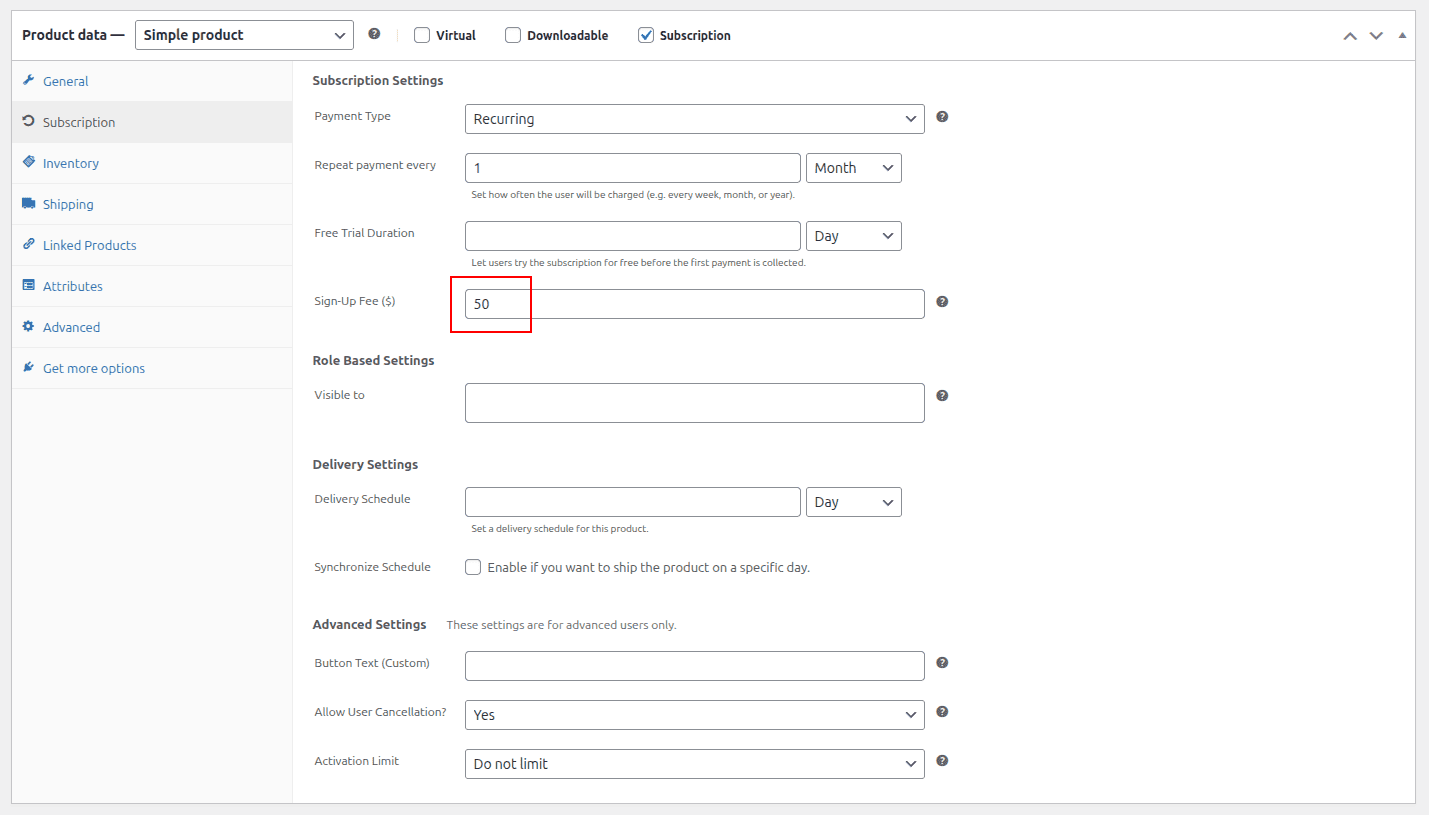
In the sign-up fee section, put the extra amount from the regular price (desired first payment - regular amount).
Calculation Breakdown
Suppose you want your users to pay 150$ the first time and pay 100$ from the next payment, your calculations will be as follows.
Regular Price: 100$
Signup Fee: 50$ (150$ - 100$)
With this, your customer will see 150$ at the time of signing up, and the renewal orders will be created with 100$.
Screenshots
Product Settings
Checkout