The Xendit Payment for WooCommerce allows you to accept various payments via Xendit directly on your store securely.
To process subscription payments with Xendit, you will need to install the Xendit Payments for WooCommerce plugin. Follow the steps below to install and configure Xendit for your WooCommerce site.
Install Xendit Payment
Log in to your WordPress admin.
Go to your WordPress admin dashboard.
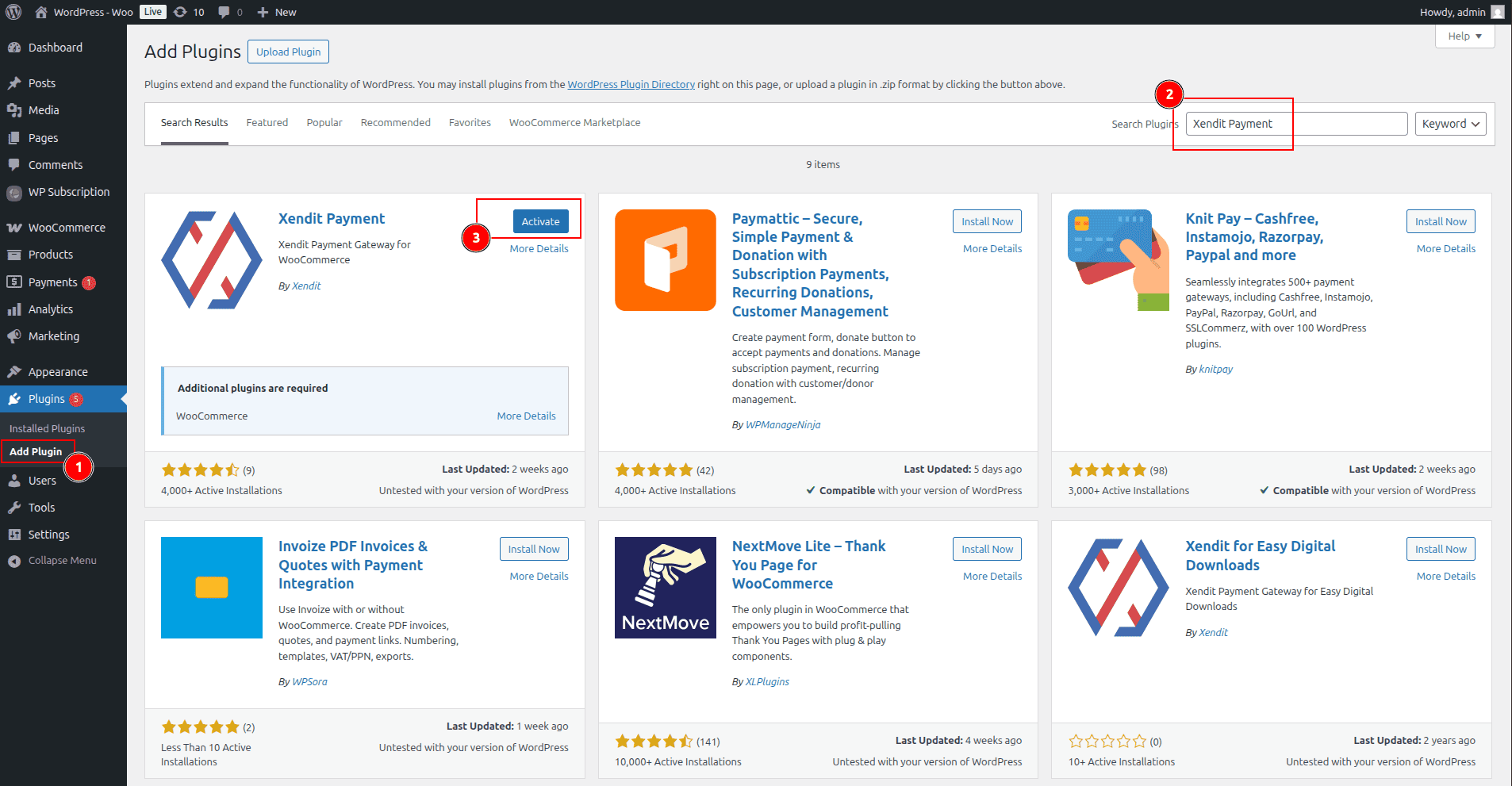
Navigate to Plugins > Add New.
In the search bar, type Xendit Payment.
Look for the plugin by Xendit.
Click Install Now, then Activate once the installation is complete.
Connect Xendit to WooCommerce
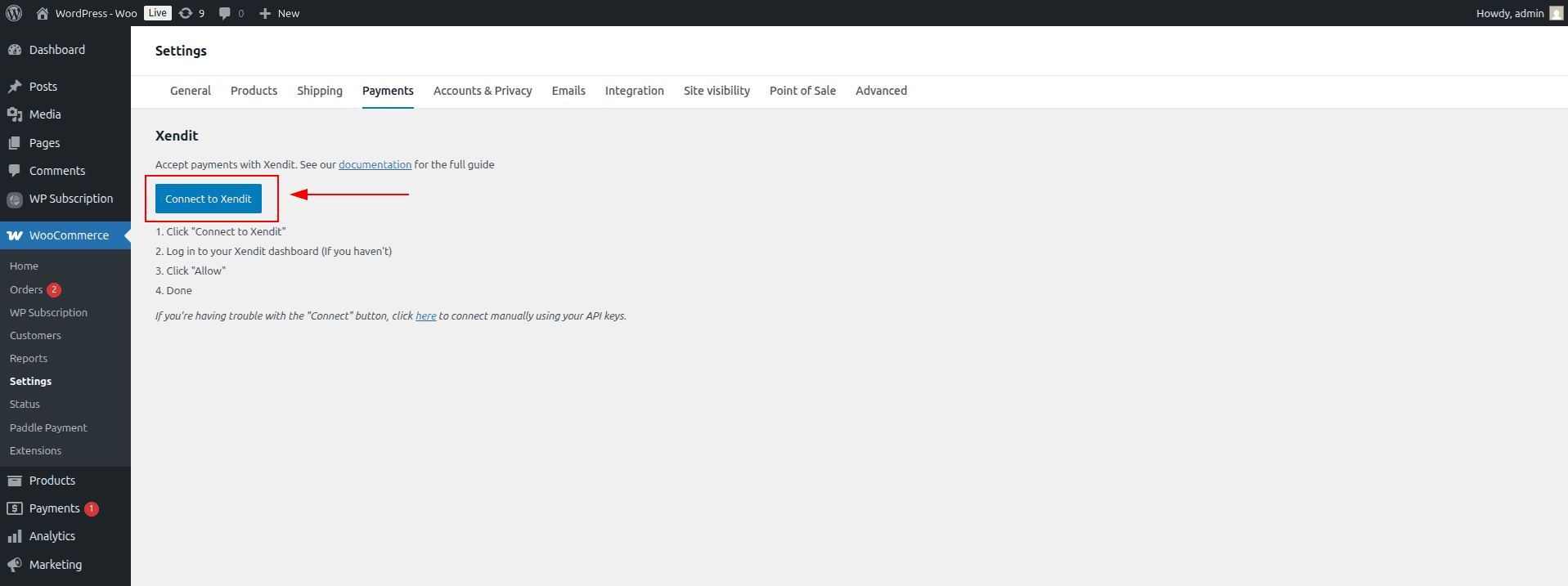
In the WordPress admin menu, go to WooCommerce > Settings > Payments.
Click Enable/Manage in the Xendit gateway.
Click the Connect to Xendit button to connect a Xendit account.
A window will open to connect your Xendit account. Sign in to your Xendit account or create a new one.
Complete the onboarding steps and authorize the connection.